


Petro Path
4.070.00 Reviews
App Specs
- Version
- 4.9.5
- Updated On
- License
- Free
- Downloads
- 10,000+
- Developer
- Petro Path
- Categories
- Business
- Platform
- Android
Screenshots
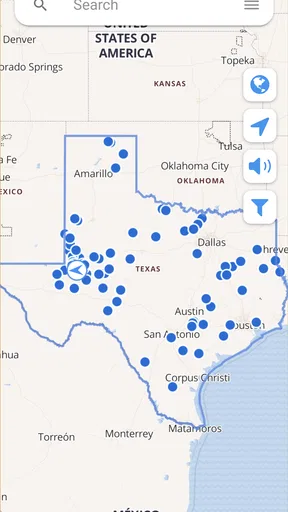
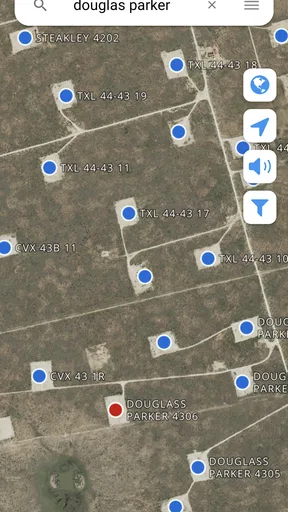
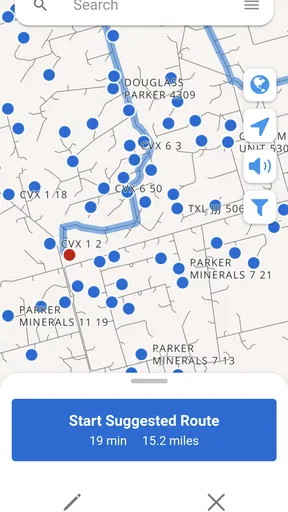
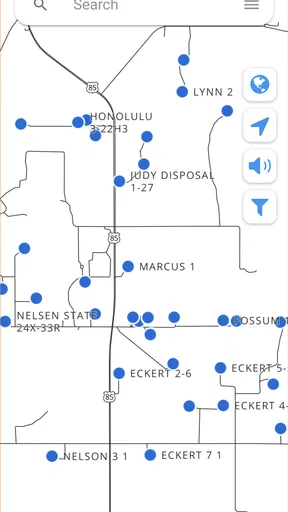
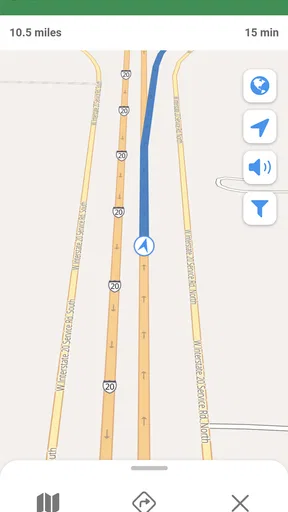
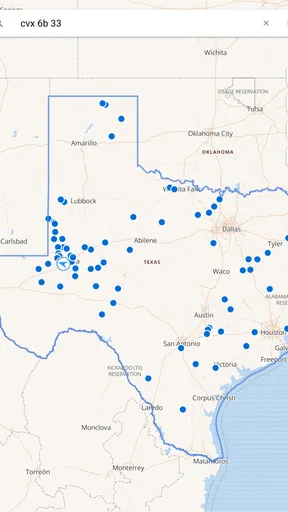
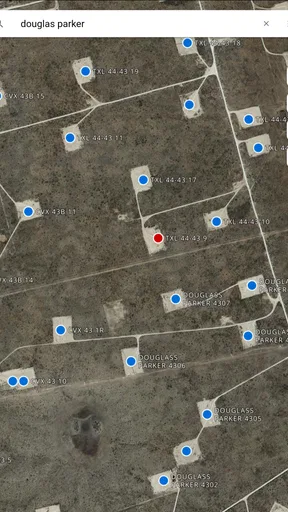
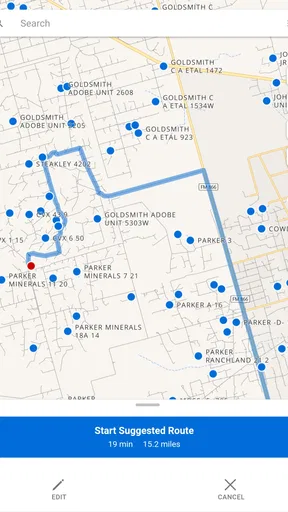
 Analysis by AppCompare
On an oilfield drive, the hard part is often not finding a road but confirming that the directions lead to the right well. Petro Path is a free business app from Petro Path built around oil and gas well directions, with tools to search, save and share them. I see its value less as an all-purpose travel companion and more as a focused utility for people who regularly need to locate well sites and pass usable directions to someone else.
Start with the destination, then make the directions usable
A practical first step is to treat a well destination as a work reference, not just a point to open once and forget. Search for the location you need, check the directions against the information you were given, and save the result if you expect to return or need to share it with a coworker. That small habit can reduce repeated searching when a shift, job, or handoff brings you back to the same site.
Sharing matters because field directions often have to travel between people. Rather than assuming a coworker will find the same result from a broad search, send the saved directions and make sure the recipient can identify the intended well before setting out. I would still confirm any critical access details with the relevant field contact; a directions app is useful for getting oriented, but it should not replace operational instructions.
Build a repeatable routine around saved locations
For someone who visits several sites over time, saving is most useful when it becomes part of a consistent routine. I’d use a clear naming convention in whatever notes or job records accompany the directions, such as matching the location reference used by the team. That makes it easier to distinguish nearby destinations and reduces the chance of relying on memory when several jobs are active.
A realistic example is a driver covering more than one well location in a day. Before leaving, they can search for each destination, save the relevant directions, and share the stops with the person coordinating the work. If plans change, they can return to the saved references instead of repeating every search from scratch. Petro Path’s strongest fit is this kind of practical, repeated lookup—not replacing a dispatcher, site-specific safety briefing, or a general navigation system for every part of the drive.
Using Petro Path as a focused field tool
I approach Petro Path as a field reference that works best when its search, saved directions, and sharing are part of a deliberate routine. The useful question is not simply whether I can find a well, but whether I can confirm the destination, prepare a clear handoff, and know when to check with a field contact instead of relying on a route alone. That practical baseline leads naturally to the settings and habits worth checking before a trip.
What to check before relying on a route
Because oilfield locations can be remote and access conditions can change, I’d verify that the destination and directions match the current work order before driving. A search result is a starting point, not proof that a road is open, suitable for the vehicle, or authorized for access. When a route depends on a gate, private road, or changing site condition, confirm it through the normal field channel rather than guessing from a map.
Worth Reading Before You Choose

Baby Panda World Brings Quick Play to Modern Phones, but Its Game Library Feels Busy

ESPN’s Live Game View Makes Following Close Games Easier

QuizzLand Review: A Good Fit for Short Trivia Breaks, Not Every Player

Basketball Stars: Multiplayer Is Fast, but Can It Recover When Matches Go Wrong?

WEBTOON Turns Phone Updates Into a Better Reading Routine

Link to Windows Runs on Shared Habits, Not Social Feeds
The app is also not the right substitute for offline planning. If you expect poor connectivity, prepare the information you need before leaving reliable coverage and keep the team’s usual backup directions available. Saving a result is helpful, but I would not assume that every function remains available without a connection unless I had tested that exact workflow in the conditions I expect to encounter.
Where it fits among everyday alternatives
Compared with a general map app, Petro Path is aimed at the specialized task of locating oil and gas wells and handling their directions. A standard navigation app may be better for ordinary street routing, traffic, or a broad trip with many unrelated stops. I’d use each for the job it handles best: Petro Path to search, save, and share well directions; a general map tool for the surrounding drive and everyday navigation.
It also differs from a call, text, or a handwritten set of directions. Those can be dependable when a colleague knows the route, but they are harder to reuse consistently and easier to misread during a handoff. Petro Path gives the location lookup a dedicated place, while a direct confirmation from a coworker remains valuable when a destination is ambiguous or access has changed. That balance is more sensible than expecting one app to settle every field-navigation question.
Who is likely to benefit—and who may not
I’d consider it for field workers, drivers, and coordinators who repeatedly need well directions and share them with others. It may also suit a new team member who needs a clearer starting point for learning where recurring destinations are. The benefit grows with repeat use: a person who is constantly looking up and passing along well locations has more reason to keep a specialized tool in their workflow than someone who visits a site only once.
If your needs are limited to ordinary commuting, restaurant stops, or turn-by-turn navigation across town, a conventional map app is likely the simpler choice. And if your work depends on highly controlled route approval, live dispatch, or confirmed access status, use the relevant company system and field contacts for those decisions. Petro Path can help with the directions task without being the whole operational process.
Small habits that make the workflow more reliable
I’d avoid searching while driving. Look up the destination before setting off, check that the result corresponds to the intended well, and share it while you have time to clarify any uncertainty. When several people are involved, a short message that identifies the job or destination alongside the directions can prevent a recipient from confusing one saved location with another.
For repeat visits, review saved directions when the job changes rather than treating an old reference as permanently current. The useful trade-off is convenience versus freshness: saved information speeds up familiar work, but it still deserves a quick check when conditions or assignments may have changed. These habits do not add new capabilities to the app; they make its search, save, and share tools more dependable in a real field routine.
Price, access, and what to expect
Petro Path is free to install, with optional in-app purchases priced from $1.99 to $19.99 per item. Its audience is rated Everyone, and the app has been available since May 4, 2016. It has 10K+ installs and an average rating of 3.9 from 151 ratings, with 69 reviews. I’d read that as evidence of an established niche utility rather than a guarantee that it will suit every field team.
The current version is 4.9.5, and it requires Android 5.0 or later. Before relying on it for a work route, I’d check that it runs on the device you plan to carry and try the exact search-and-share steps your team expects to use. The app’s free entry point makes that trial straightforward, while the optional purchases are worth reviewing in the app if you are considering anything beyond the basic use.
My take after weighing the workflow
What I like about the idea is its narrow purpose: well directions are different from everyday places, and a dedicated search-and-sharing tool can make recurring field work easier to organize. The best results come from using it deliberately—confirm the destination, save useful references, and share them with enough context for another person to act on them safely.
Petro Path is worth considering if well-location lookup is a regular part of your work. I wouldn’t make it my only source for access decisions or assume it replaces a general navigation app, but as a focused companion for finding and passing along well directions, it has a clear role. If you only need ordinary navigation, choose a broader map tool; if well directions are part of your daily routine, this one is much more relevant.
Hey there, fellow app enthusiasts! Today, I’m diving into the world of Petro Path, a fascinating app that’s been making waves among drivers and road-trippers alike. If you’re someone who loves to hit the open road or simply needs to keep an eye on fuel costs, this app might just be your new best friend. Let’s buckle up and take a closer look at what makes this app tick!
Fueling Up Your Journey
First things first, what exactly is Petro Path? Well, it’s a handy app designed to help you find the best fuel prices in your area. Whether you’re commuting to work or embarking on a cross-country adventure, knowing where to get the cheapest gas can save you a pretty penny. What’s cool about this app is its user-friendly interface. It’s super easy to navigate—just open it up, and boom, you’re greeted with a map showcasing local gas stations and their current prices.
Real-Time Updates
One of the standout features of Petro Path is its real-time updates. The app constantly refreshes its data, ensuring you have the latest price info at your fingertips. This is a game-changer, especially when prices can fluctuate wildly. No more second-guessing whether the price you saw yesterday is still good today.
Another neat feature is the community aspect. Users can report prices, making it a collaborative effort to keep everyone informed. It’s like Waze, but for fuel! Plus, the app rewards contributors, adding a fun element to the mix.
Planning Your Routes
Planning a long trip? No worries! Petro Path has you covered. You can plot your journey and see the best places to stop for gas along the way. This is especially useful for those of us who love a good road trip but hate the hassle of searching for a station when the tank’s nearly empty. The app even calculates potential savings based on your vehicle’s fuel efficiency, which is a nifty little perk.
Speaking of perks, let’s not forget about the rewards program. This app partners with various fuel stations to offer discounts and special deals. Who doesn’t love saving a few bucks here and there?
User Experience
Now, let’s talk about the user experience. Setting up the app is a breeze. Just download, install, and you’re good to go. The interface is sleek and intuitive. I found it really easy to switch between views, whether I wanted a list of prices or a map overview. The color scheme is easy on the eyes, which is always a plus when you’re staring at a screen during long trips.
One thing I particularly appreciate is the customization options. You can tailor the app to suit your preferences, such as setting alerts for price drops or filtering stations based on amenities like car washes or restrooms. It’s these little touches that make the app feel personal and user-centric.
Room for Improvement?
No app is perfect, and Petro Path is no exception. While it does a fantastic job on the whole, there are a couple of areas where it could improve. For instance, while the app covers a wide range of areas, it might be less comprehensive in rural or less populated regions. It relies heavily on user input, so if you're in a sparsely populated area, the data might not be as robust.
Additionally, the app’s ad-supported model can be a bit intrusive at times. Although it’s understandable that free apps need to generate revenue, it can be a tad annoying when you’re trying to quickly check prices.
Final Thoughts
In the grand scheme of things, Petro Path is a fantastic tool for anyone who drives regularly. Whether you’re a commuter trying to save a buck or a road-tripper planning your next big adventure, this app has something to offer. With its real-time updates, community-driven data, and user-friendly interface, it’s definitely worth a download. Sure, there’s always room for improvement, but what it offers right now is pretty impressive.
So, would I recommend it? Absolutely! Give Petro Path a spin and see how much you can save. Happy driving!
Pros
- User-friendly interface enhances navigation.
- Real-time fuel price updates are reliable.
- Customizable alerts for price drops.
- Integration with maps for easy navigation.
- Supports multiple regions for wide coverage.
Cons
- Occasional ads can be distracting.
- Limited offline capabilities.
- Some features require in-app purchases.
- Battery usage is higher than expected.
- Needs more language options.
FAQs for Petro Path
What is Petro Path and what does it offer?
Petro Path is a mobile application designed to enhance the driving experience by providing detailed information about fuel prices, gas stations, and maintenance tips. It offers real-time updates on fuel costs, helping drivers make informed decisions and save money. Additionally, the app includes features like trip planning and vehicle performance tracking.
Is Petro Path available for both Android and iOS devices?
Yes, Petro Path is available for both Android and iOS devices. Users can download it from the Google Play Store or Apple App Store. The app is designed to be user-friendly and compatible with a wide range of smartphones, ensuring accessibility for all users.
Are there any subscription fees or in-app purchases in Petro Path?
Petro Path offers a free version with basic features, but also includes a premium subscription for users who want access to additional functionalities such as advanced analytics, ad-free experience, and exclusive deals. The premium version is available on a monthly or yearly subscription basis.
How accurate are the fuel prices and gas station information in Petro Path?
Petro Path relies on a combination of user-submitted data and partnerships with local gas stations to ensure accuracy. While the app strives to provide the most up-to-date information, prices and availability can vary due to market fluctuations. Users are encouraged to report discrepancies to help improve overall accuracy.
Can Petro Path be used offline, and what features are available without an internet connection?
Petro Path offers limited offline functionality. Users can access previously downloaded maps and some basic information about gas stations. However, real-time updates on fuel prices and navigation require an active internet connection. For the best experience, it is recommended to use the app with an internet connection.


